Interior by your floor plan
1. Show the taste
Select reference interiors and words that describe the atmosphere.
2. Bring the plan
Upload the apartment layout or start from a demo project if you want to test the flow first.
3. Open the package later
Only after the render is approved do drawings, materials, and cost logic unlock.
Choose the style. Upload the plan. Get a render that matches your apartment.
The product should feel simple from the first screen: pick references you like, describe the mood in a few words, upload your plan, and get a render built around that layout. If the result feels right, open the working package with drawings, finishes, lighting, and materials.
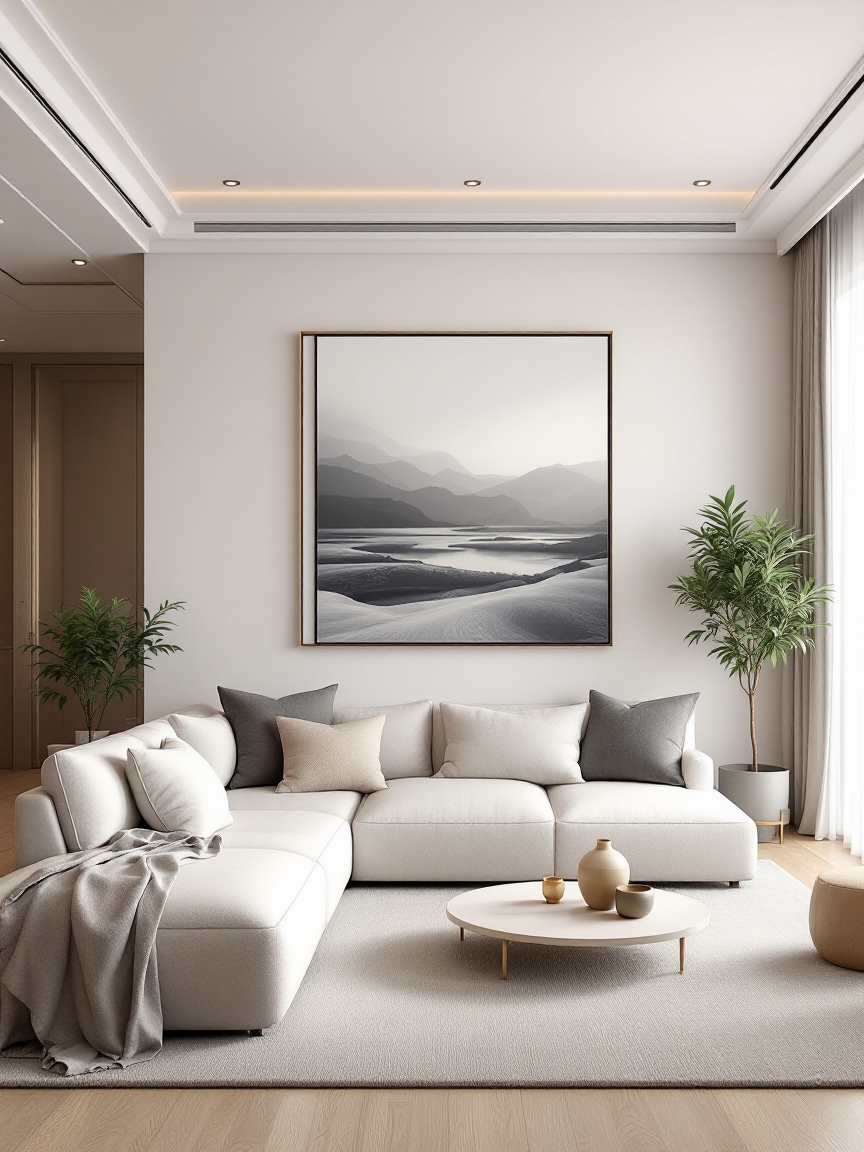
Render preview
Living room generated from the brief
preview
Your plan
2D layout stays editable
awaiting plan
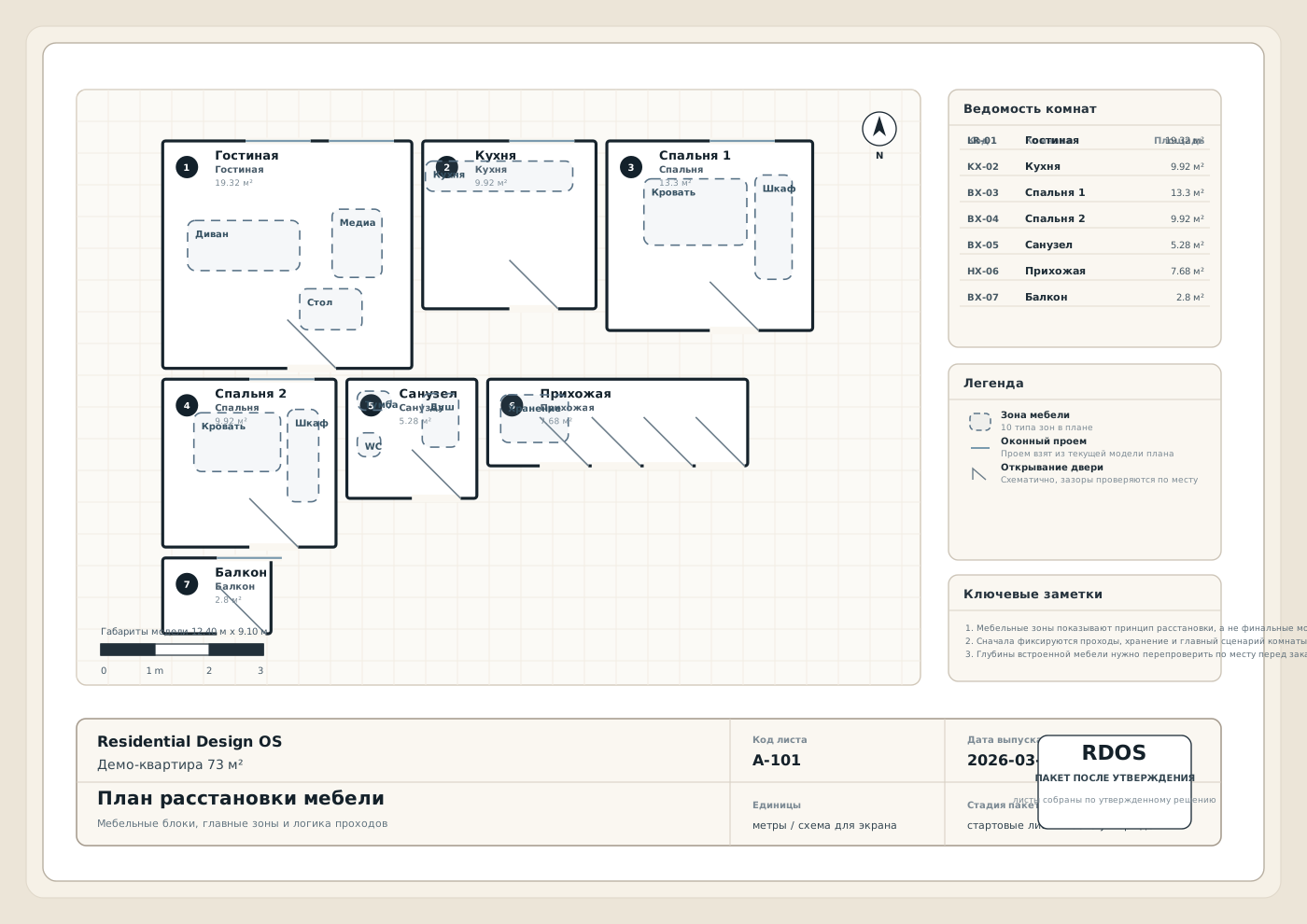
After approval
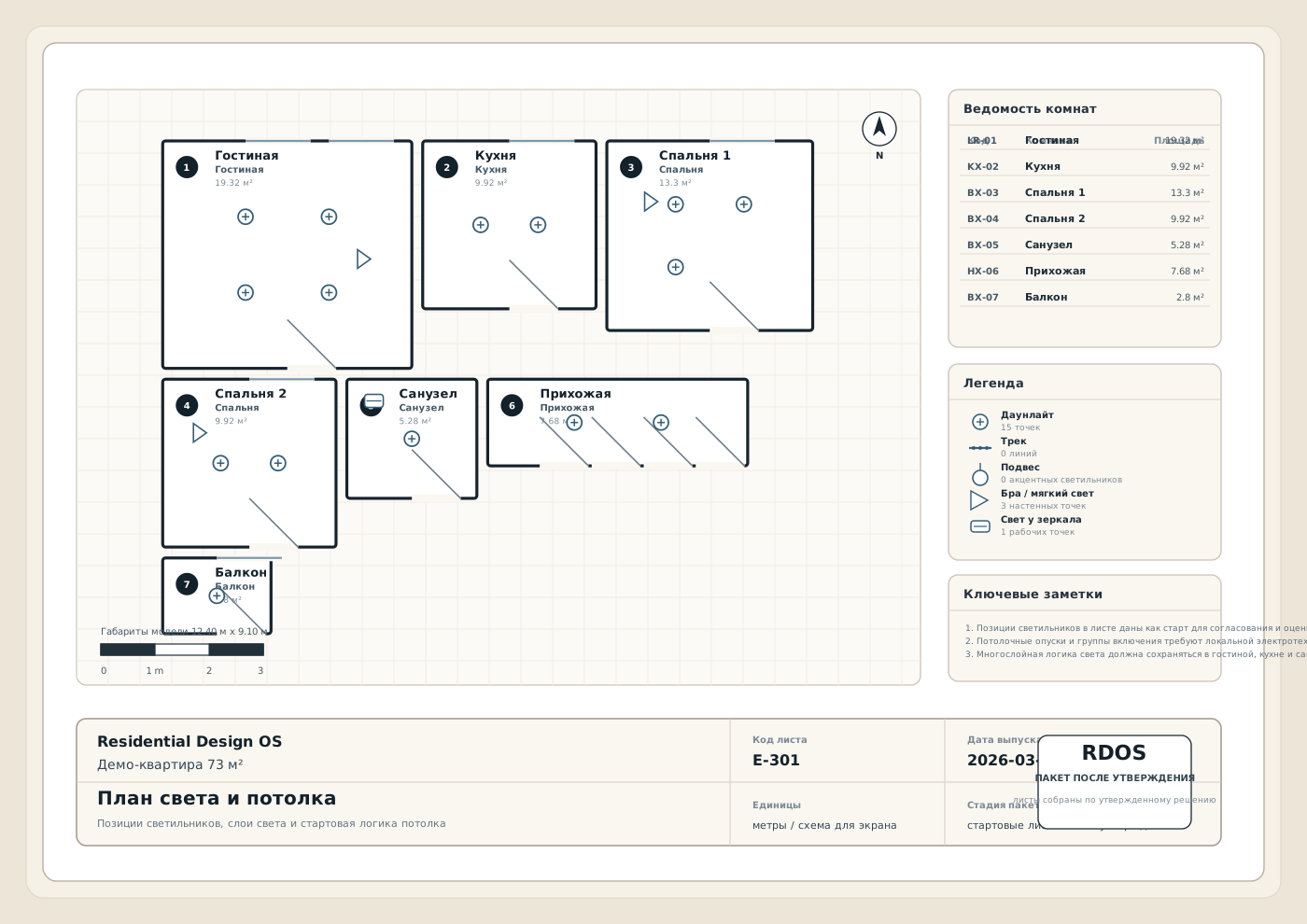
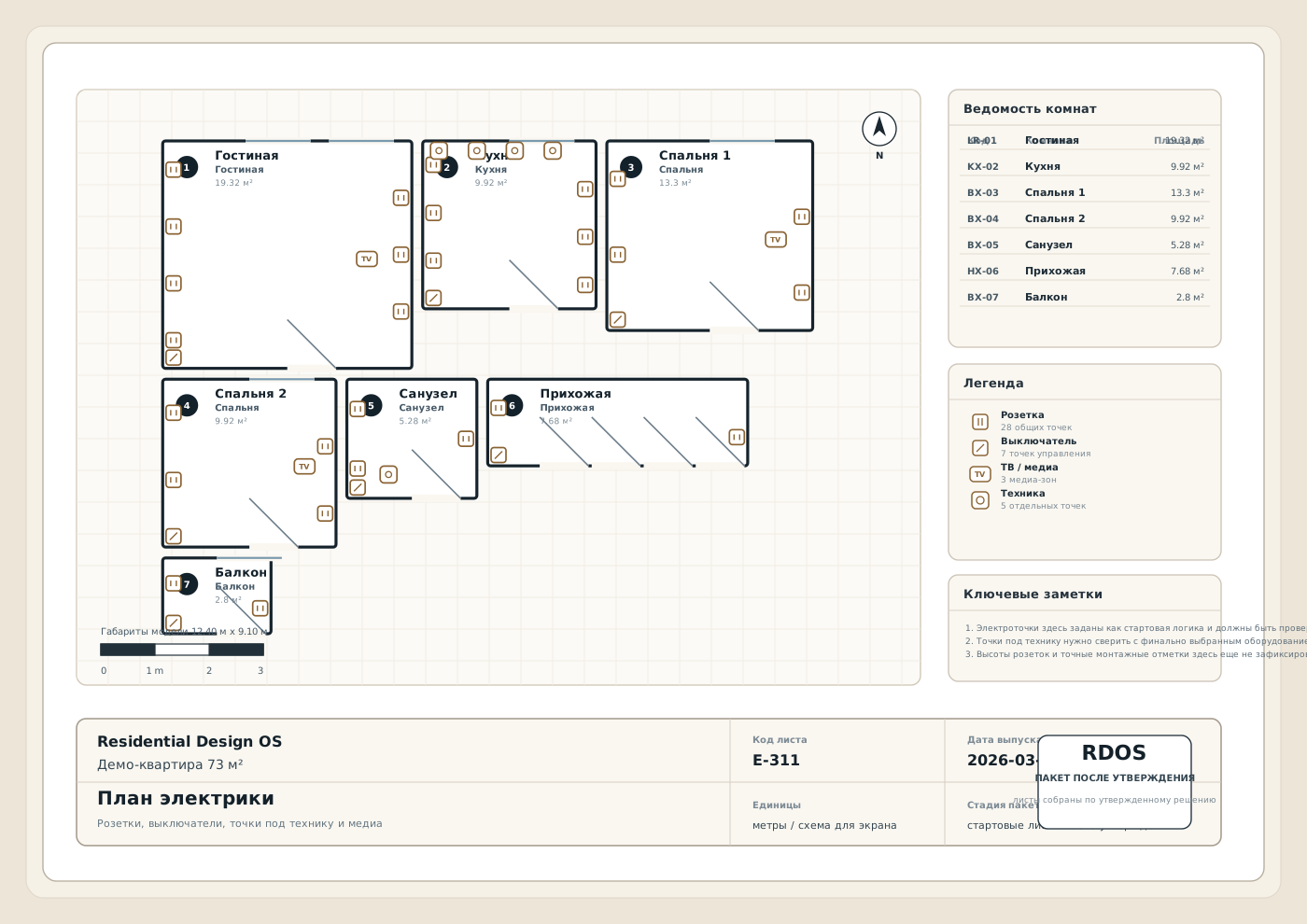
Lighting, power, finishes
paid unlock
Three steps. One obvious path.
The landing page should walk the client forward, not explain your internal system.
The promise stays simple: pick the look, upload the plan, get a render, then unlock the package only if the result is approved.
Choose what feels right
Like and dislike real interiors, then mark a few words that describe the atmosphere you want at home.
Upload the apartment plan
Bring your file, fix the layout if needed, and keep the geometry editable before generation starts.
Approve the render, then buy the package
Only after the design feels right do drawings, materials, lighting logic, and exports unlock.
Pick the visual taste first
Clients should point at references, not decode product jargon.
Show a tight set of good interiors across real rooms. The product should feel like a fast taste picker, not a confusing catalog of internal categories.
What opens after approval
Do not sell “inspiration”. Sell a package the contractor can actually use.
The landing page should make the paid output concrete: layout, lighting, power, materials, quantities, and export files. That is where trust and willingness to pay come from.
Working package
Layout, dimensions, finishes, lighting, power
Every sheet should come from the same saved apartment model, so the package stays coherent.
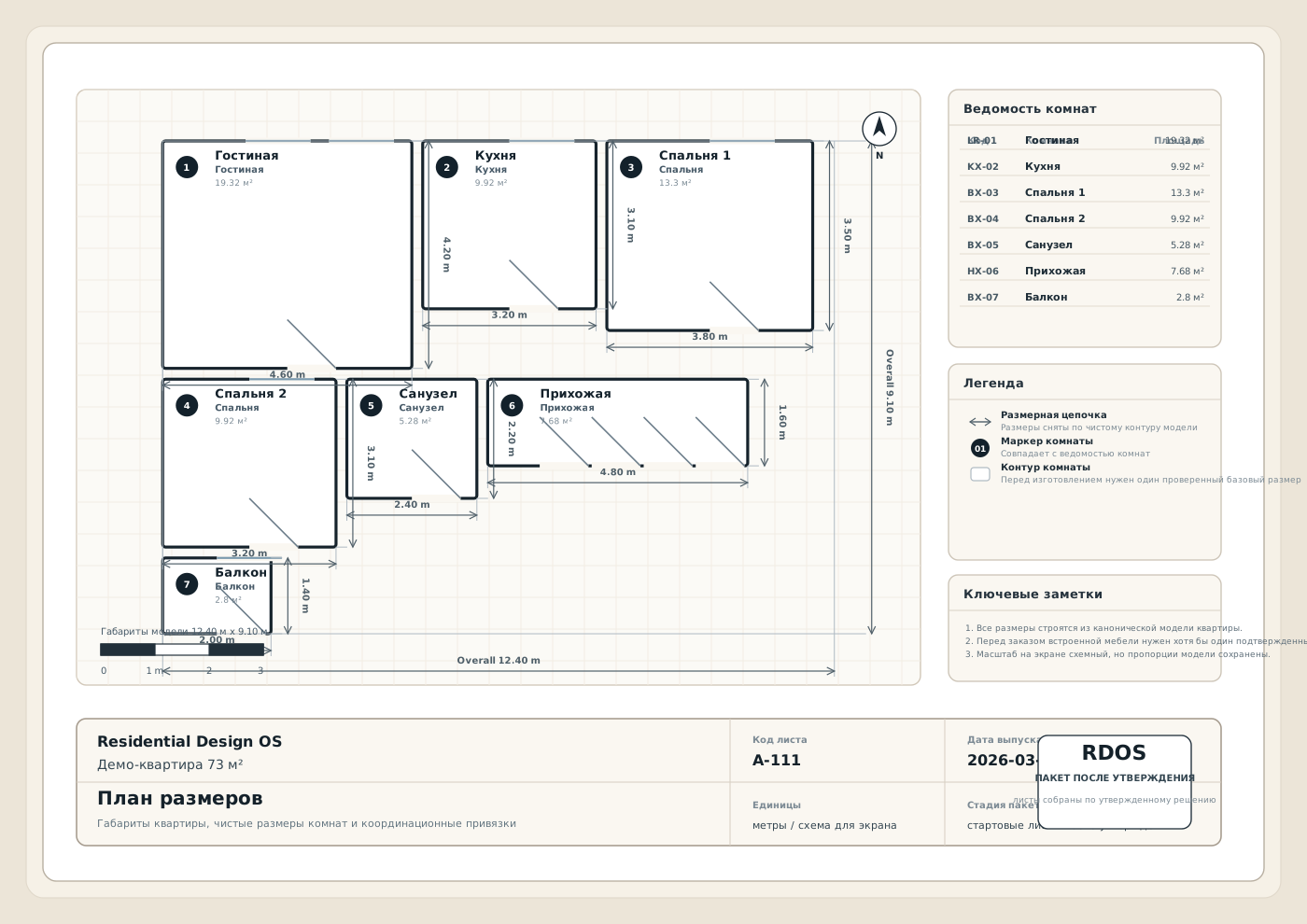
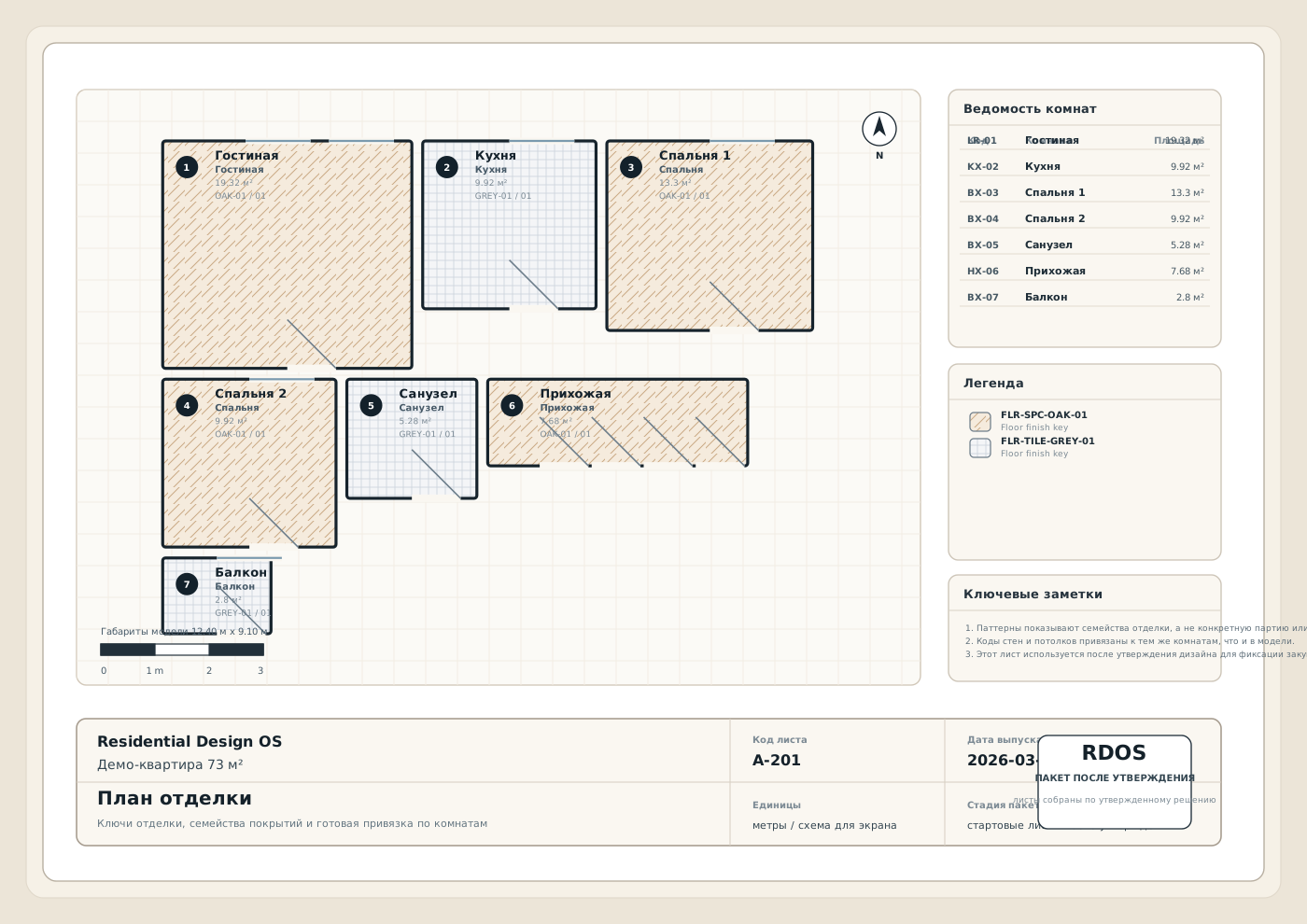
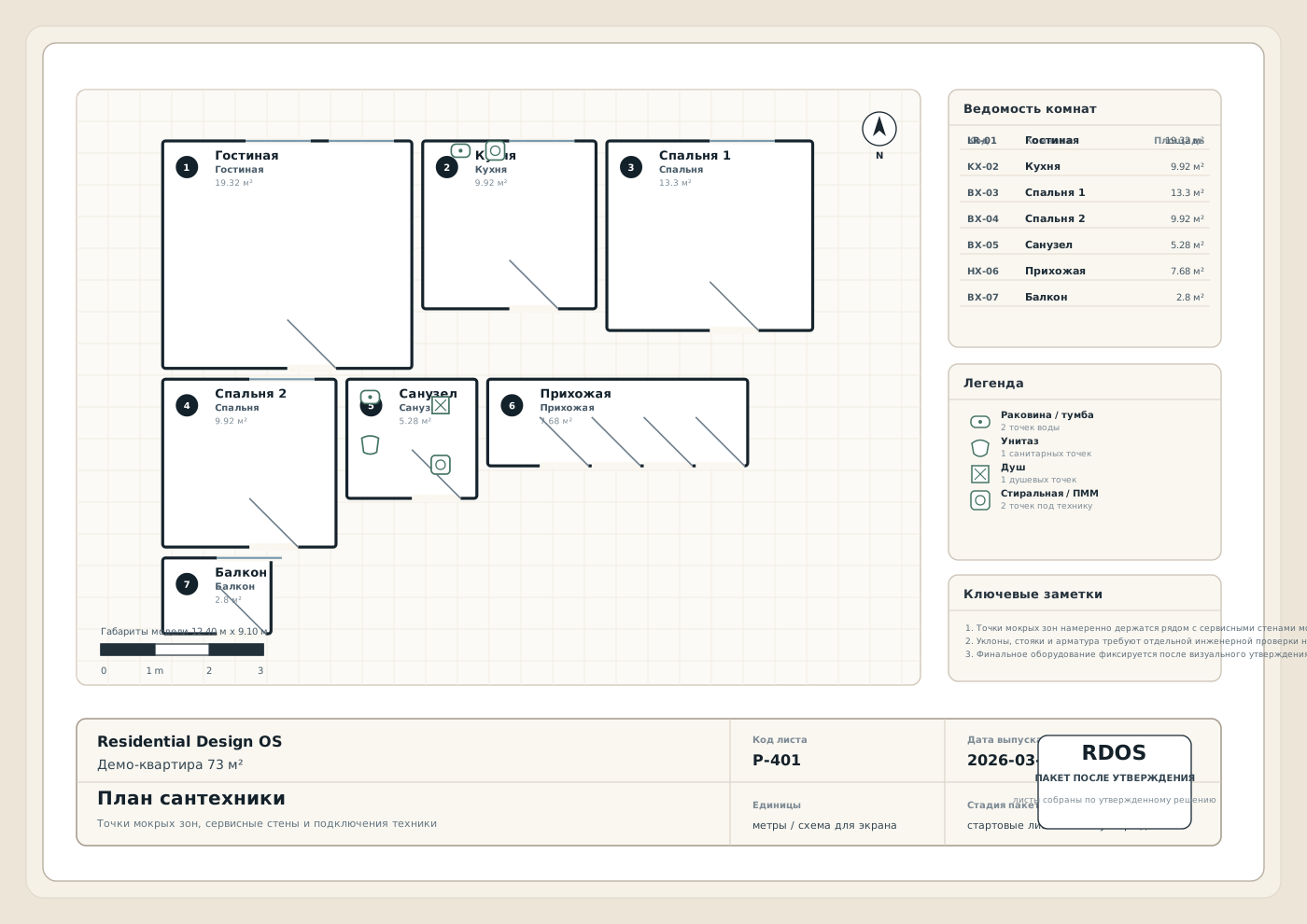
The render sells the package.
First the client sees the result in their own apartment. Then the technical package becomes an easy next step instead of a cold upsell.
Simple payment model
First see the result. Then decide whether to open the full package.
The pricing story should be transparent. People should understand they are not buying blind technical output before they even know if the design is right.
Style + render
Choose references, upload the plan, and get the first visual result for your apartment.
Package after approval
Only after the render is approved do drawings, materials, estimates, and export files unlock.
Project studio
Four clear steps: taste, plan, render, package.
Inside the product there should be no magic terminology. The user only needs to define taste, confirm the plan, review renders, and decide whether to open the full package.
1. Gather taste and plan
2. Review the render
3. Open the package only after approval
01Plan
02Taste
03Renders
04Package
What to click next
Start with the taste brief or the plan
You can begin with references and words, or jump into the apartment plan first. The product should not feel rigid before the first useful action.
Step 1
upload + recognition boundary + quick 2D
Bring in the apartment plan
Upload
JSON plans can be recognized now. PDF, JPG, PNG, and DWG enter a recognition boundary and stay correctable through quick 2D editing.
Quick correction loop
Cheap correction is more trustworthy than magical recognition with no repair path.
Row-based editor
Fast save
Room mix visible
Promise to the user
You should never feel trapped in the plan import. Everything stays editable.
Editable
Health-checked
Reversible
Quick room editor
Adjust names, sizes, and wet zones before generation
Keep this step compact: one row is one room. Edit the mix, save the plan, then move straight into style selection.
| Name | Type | W | H | Windows | Doors | Wet |
|---|
Step 2
visual brief + words + comments
Choose references and atmosphere
Brief details Palette, budget, light, materials, and client notes
Quick style words
Pick a few words so the brief feels human, not technical.
These words strengthen the mood of the future render and help the system understand what kind of interior should feel right to this client.
No quick style words selected yet.
Visual references
Pick references and anti-references
Select a few references you like and a few signals to avoid. These cards feed the render context, not just the copy.
0 selected · 0 avoided
Own photos
Add 2-6 reference photos from Pinterest, saved examples, or real interiors
This is the fastest path: add your own pictures, then use only a few suggested cards below if you still need help.
No uploaded reference photos yet.
Loading style cards…
Step 3
preview, rooms, queue, revisions
Review the renders and decide what to keep
Render provider status appears here.
Next pass
Leave a note before the next render pass
The current plan and brief stay in place. Edit the brief, copy the setup, or leave a specific revision note.
Render previews will appear here.
Room gallery will appear here.
Render queue will appear here.
Render preflight checks will appear here.
Step 4
drawings, materials, exports
Open the package and prepare the handoff
Unlock the package first, then build the client-facing handoff.
What opens after approval
Package readiness
Unlock the package to see the handoff status.
Drawing gallery
Preview the drawing sheets
Exports
Files for download and transfer
Assumptions + notes
Important caveats
Starter BOM
Quantities and estimated cost
| SKU | Item | Qty | Unit | Est. cost |
|---|
Execution settings
Region, scope, and budget intent
Save a plan and style to start defining execution settings.
Final result
not ready yet
The end result appears here
Save the plan, lock the brief, approve the renders, unlock the package, and build it to see the final result.
Client cabinet
project state, history, saved renders
Project history, renders, and next passes
Project overview
Current state
Create or load a project to populate the cabinet.
Next pass
Request another package pass
Leave a note about what should change. The request is saved in the cabinet so the next iteration starts from an explicit brief.
Render library
Saved completed renders
Completed renders will appear here after generation.
Package history
Orders and iterations
No package iterations yet.
Activity log
Everything that happened
Project activity will appear here.
FAQ
The questions the client should resolve before starting.
Do I need a perfect plan file?
No. The plan can be corrected after upload. The product should promise repairable input, not perfect recognition.
Can I ask for revisions more than once?
Yes. That is the point. You can keep refining the brief and renders until the result feels approved.
When do drawings get prepared?
After the render is approved. Technical outputs should not open too early and force the client into rework later.
What is the real difference?
You do not buy a blind package first. You see a render for your own plan, and only then decide whether to open the implementation package.
The core promise
Show what you like, upload the plan, and get a render built around your apartment.
The website should not feel like a maze. It should feel like one clean path from taste to render and from render to a real package.
Account
Save your project, renders, and package history
Registration is the memory layer of the product: project saves, revisions, paid unlocks, repeat passes, and cabinet history.